Cookie consent, done properly.
Consent asks your visitors before your site tracks them, makes saying no as easy as saying yes, and keeps a record of what they chose. It runs entirely on your own site, with no account to set up and nothing sent anywhere else.
Consent
Free for any WordPress site
- Coming to the WordPress plugin directory
- No account, no subscription and no paid upgrade
- Comes set up on every site we build
What it does.
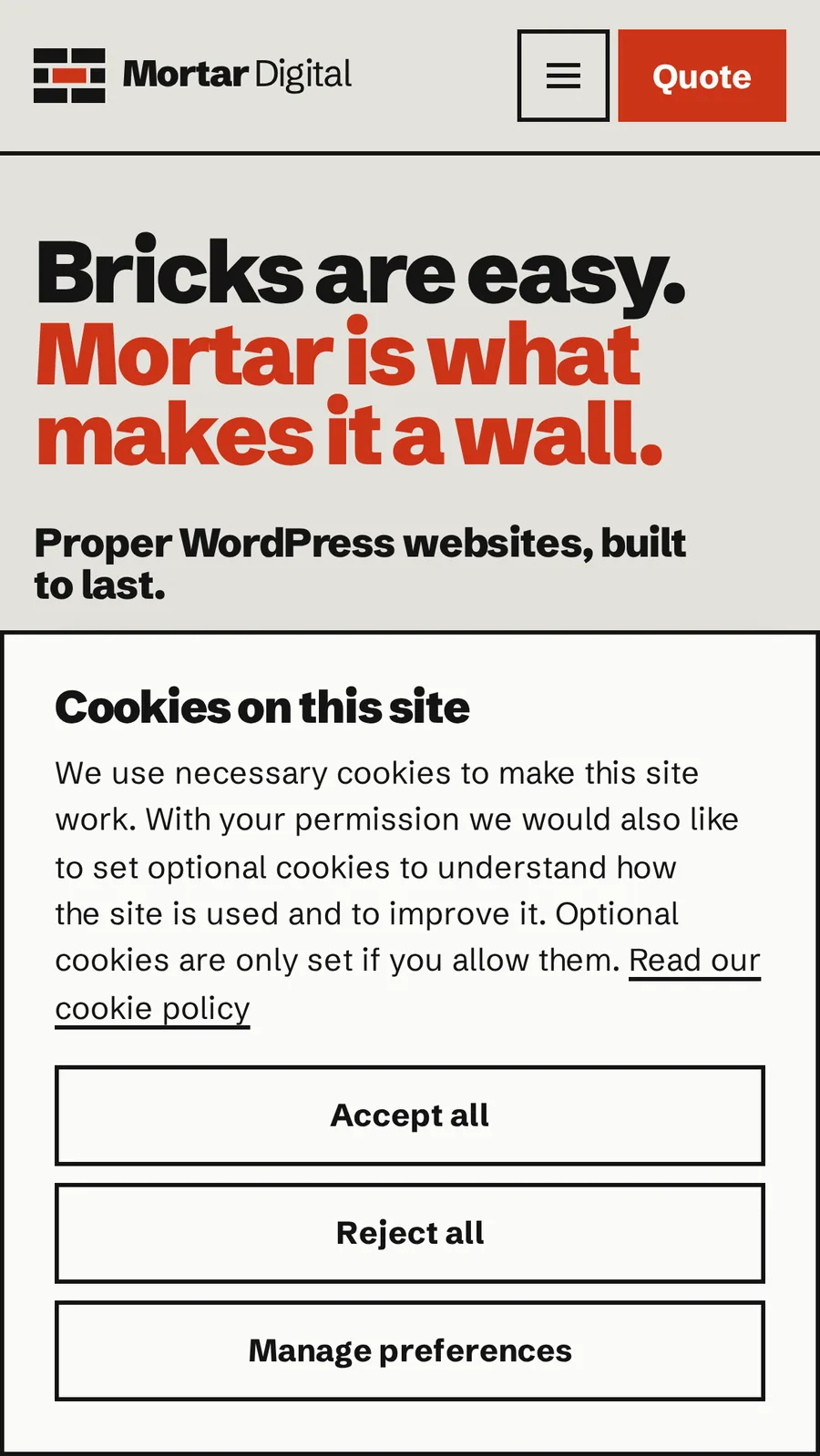
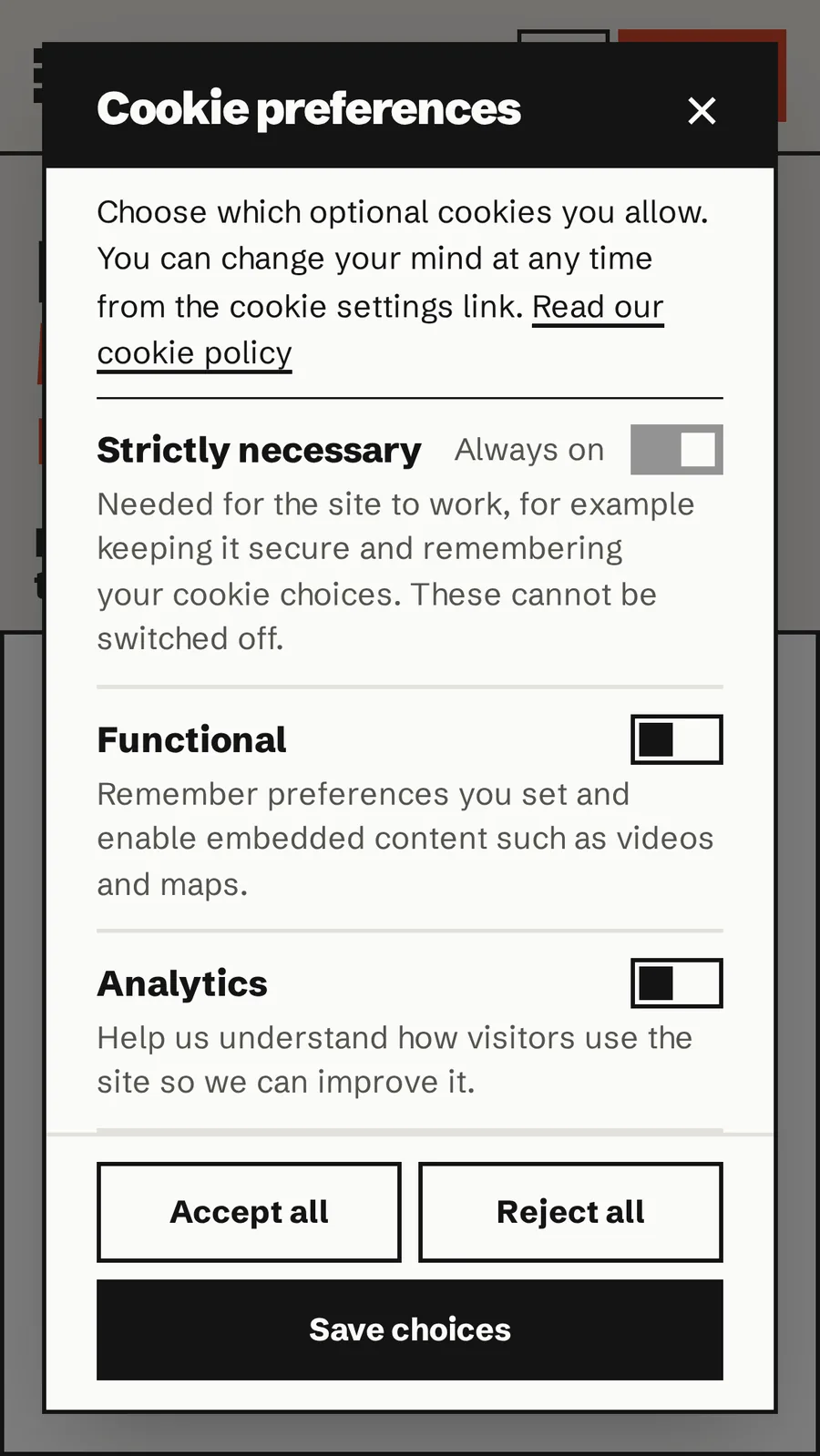
Everything a visitor sees, and everything you can check afterwards. Each screenshot is taken from this site.
A fair choice.
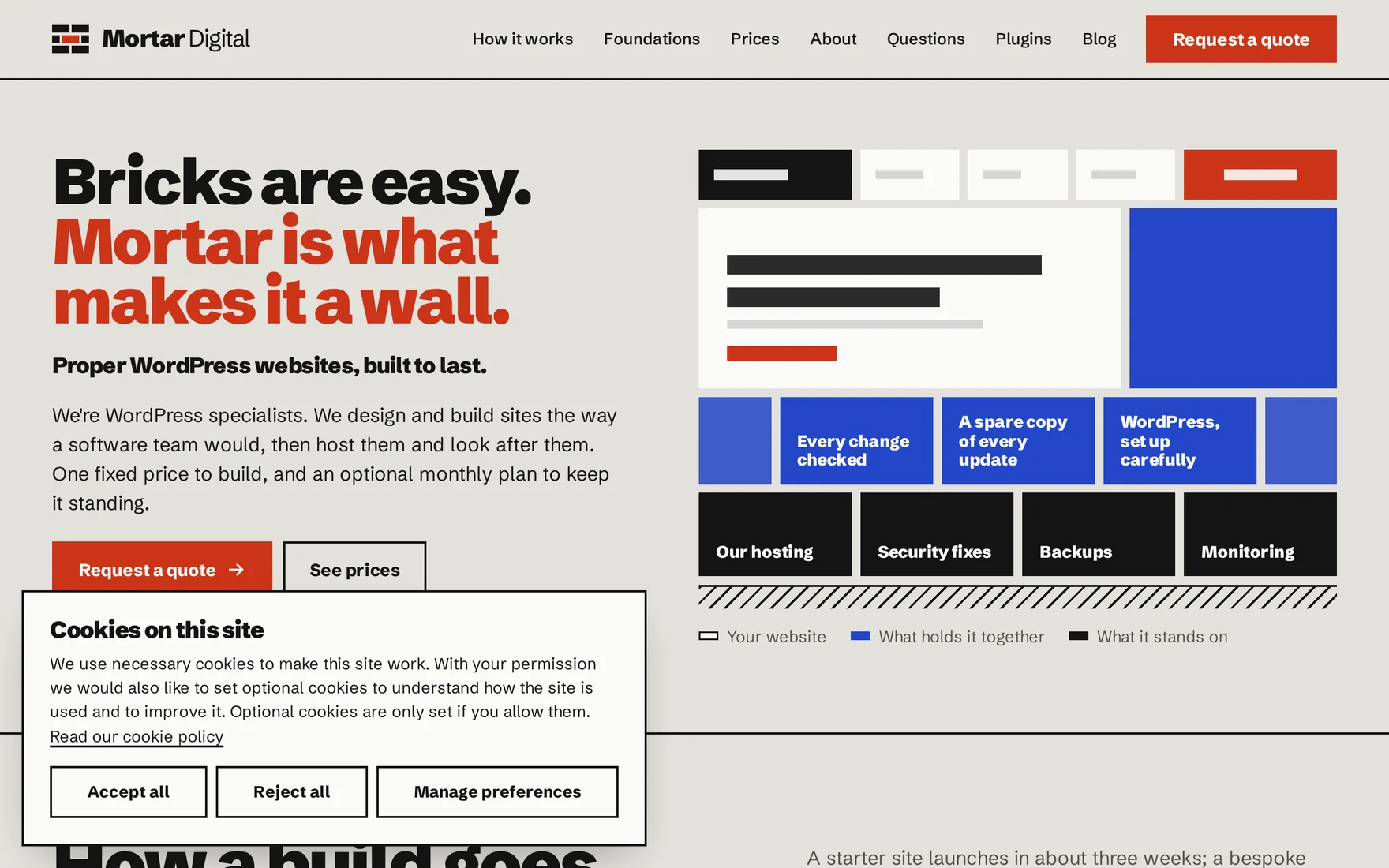
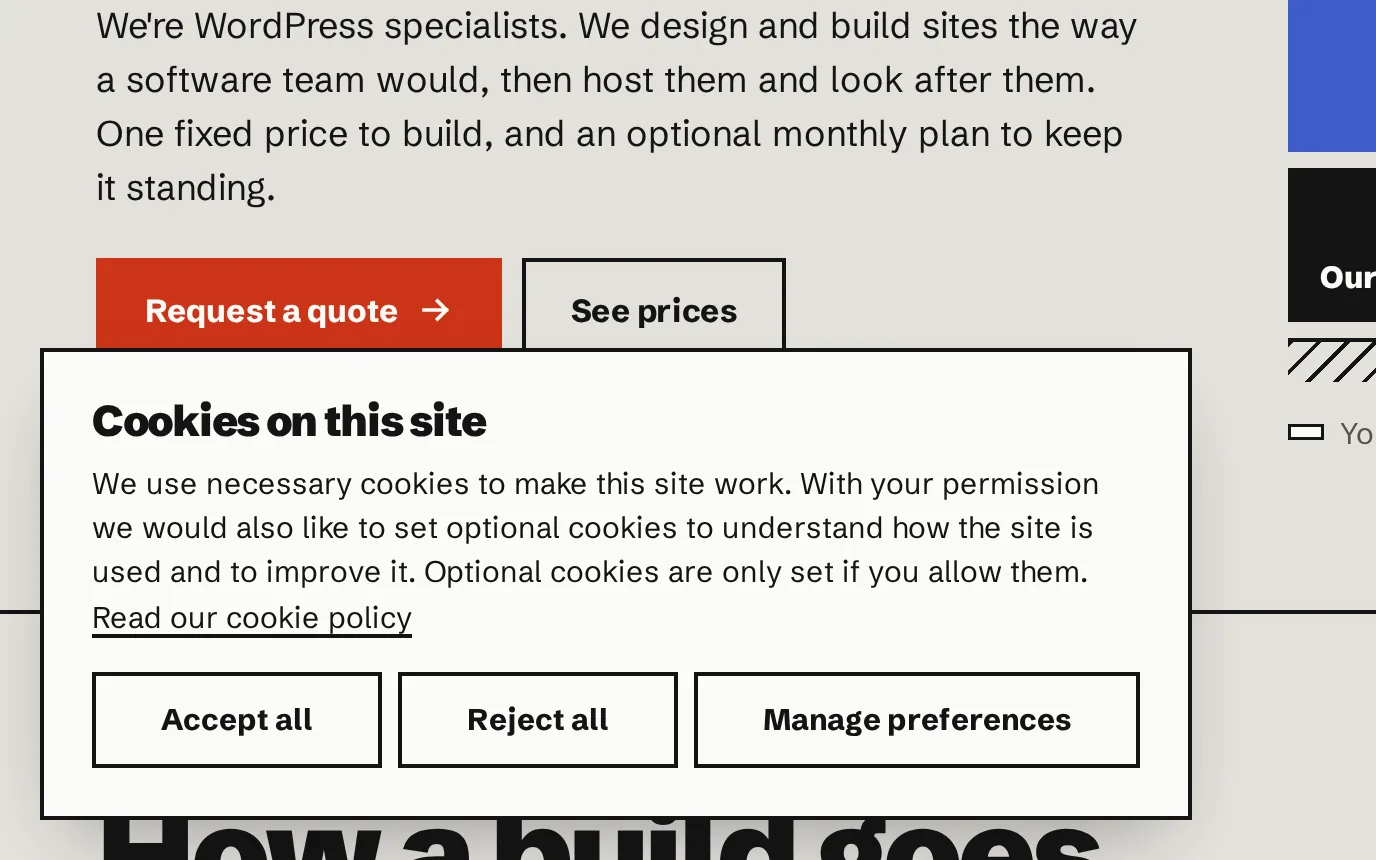
“Accept all”, “Reject all” and “Manage preferences” sit side by side, the same size and the same colour. Nothing is ticked for the visitor, and the page stays usable while the banner is open.
Choose by type.
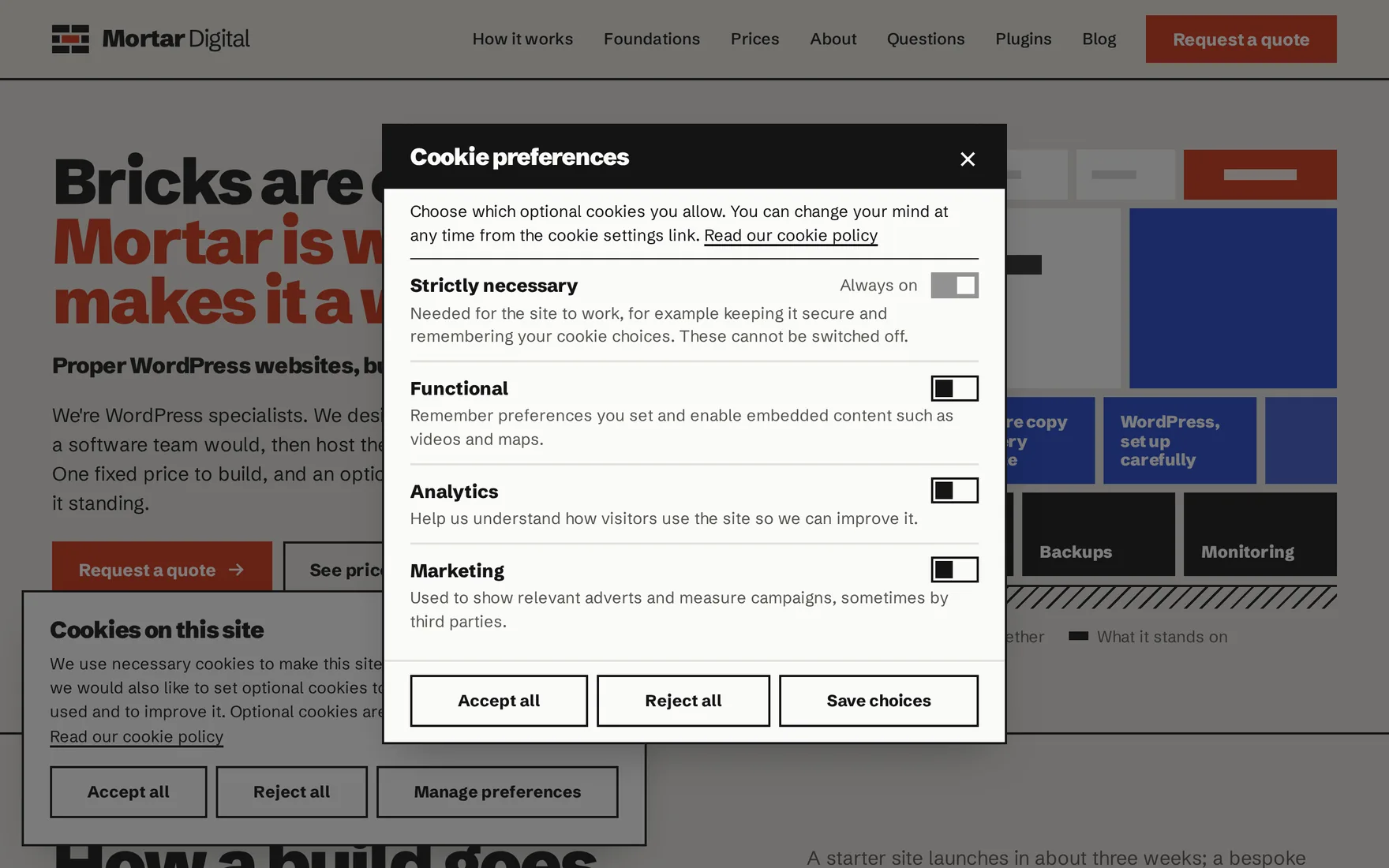
Visitors can allow some cookies and not others: functional, analytics, marketing, or types you add yourself. Each one says what it’s for and which cookies it sets.
They can change their mind from any page, and they’re asked again when your cookie policy changes or after a year.
Tracking waits.
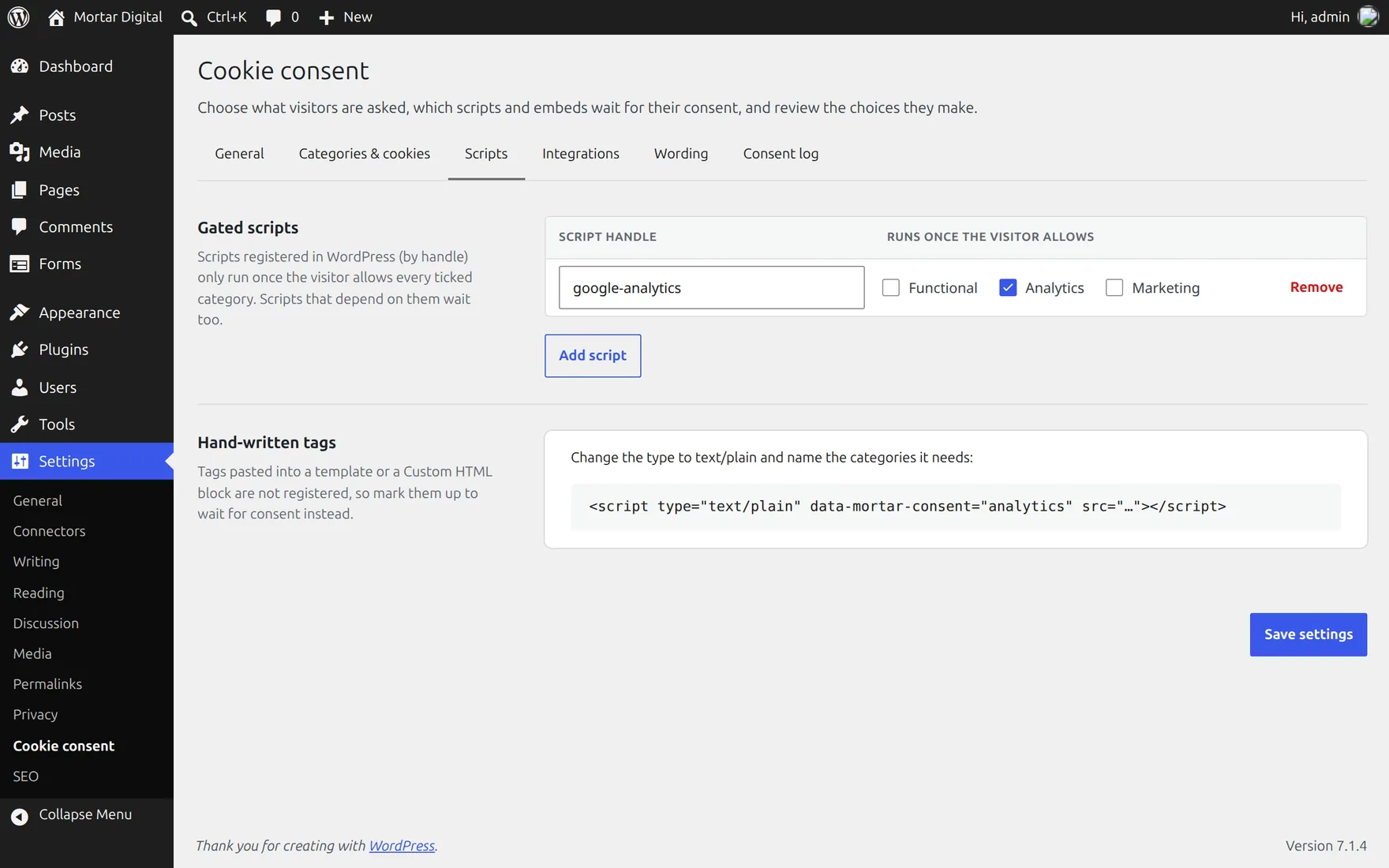
Analytics and advertising code doesn’t run until a visitor allows it. Pick it from a list in the settings. If someone changes their mind later, the cookies it set are cleared.
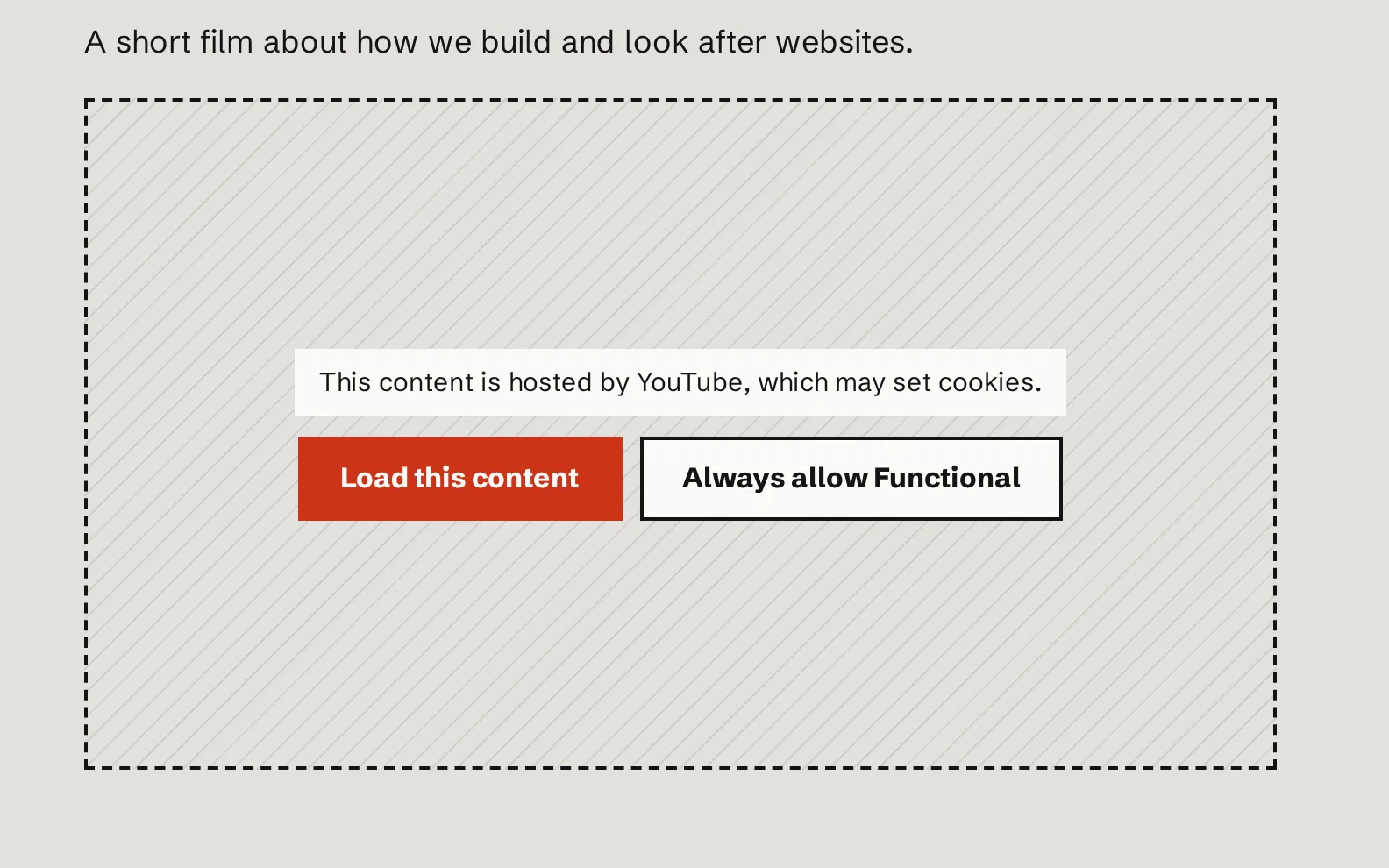
Videos and maps on request.
YouTube, Vimeo, Google Maps, Spotify and other embedded content waits behind a simple placeholder. Visitors can load just that one, or allow them all.
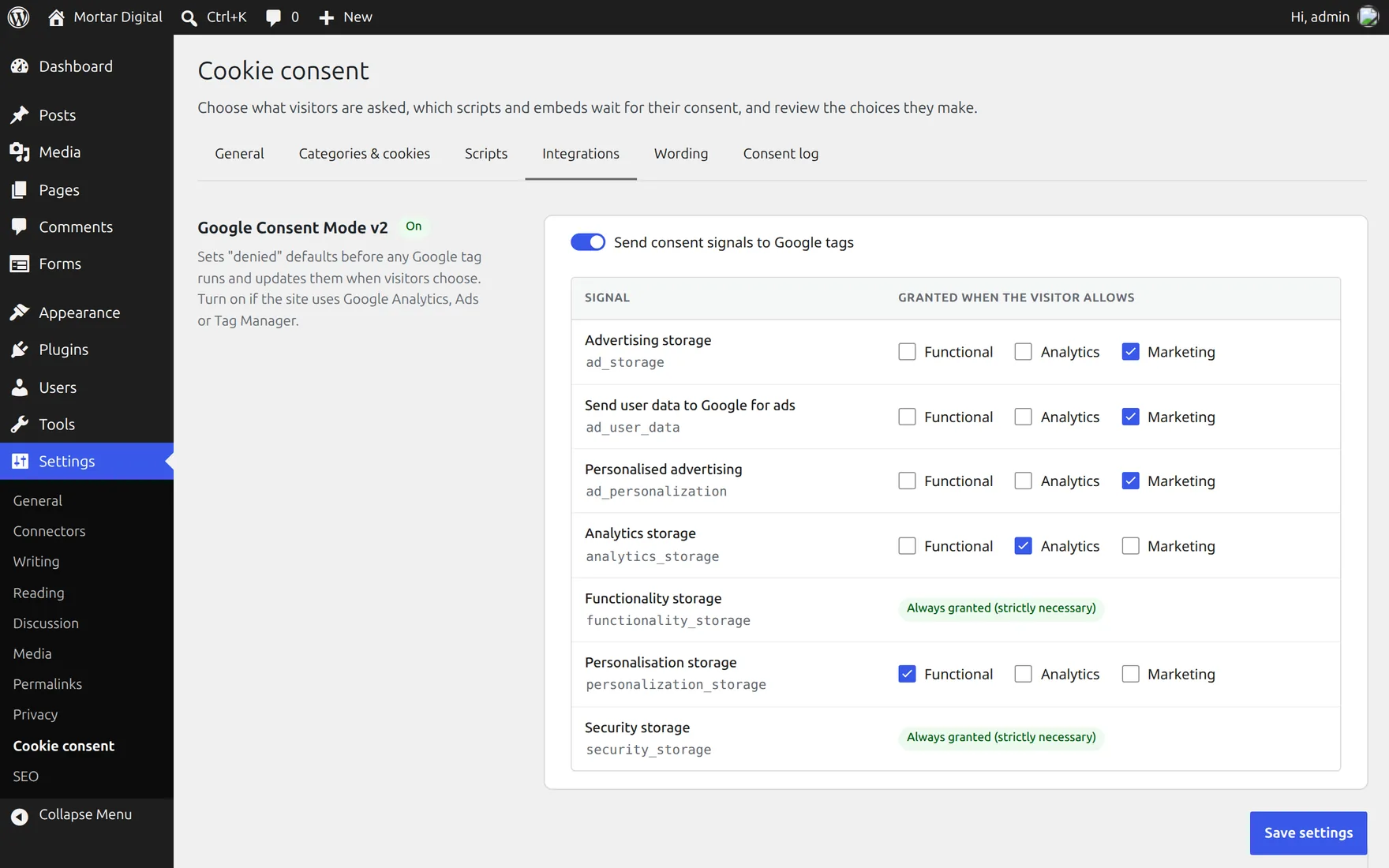
Plays well with Google.
It works with Google’s consent signals, so Analytics and Ads follow each visitor’s choice. It respects the “don’t sell my data” signal some browsers send, and other plugins can check the choice too.
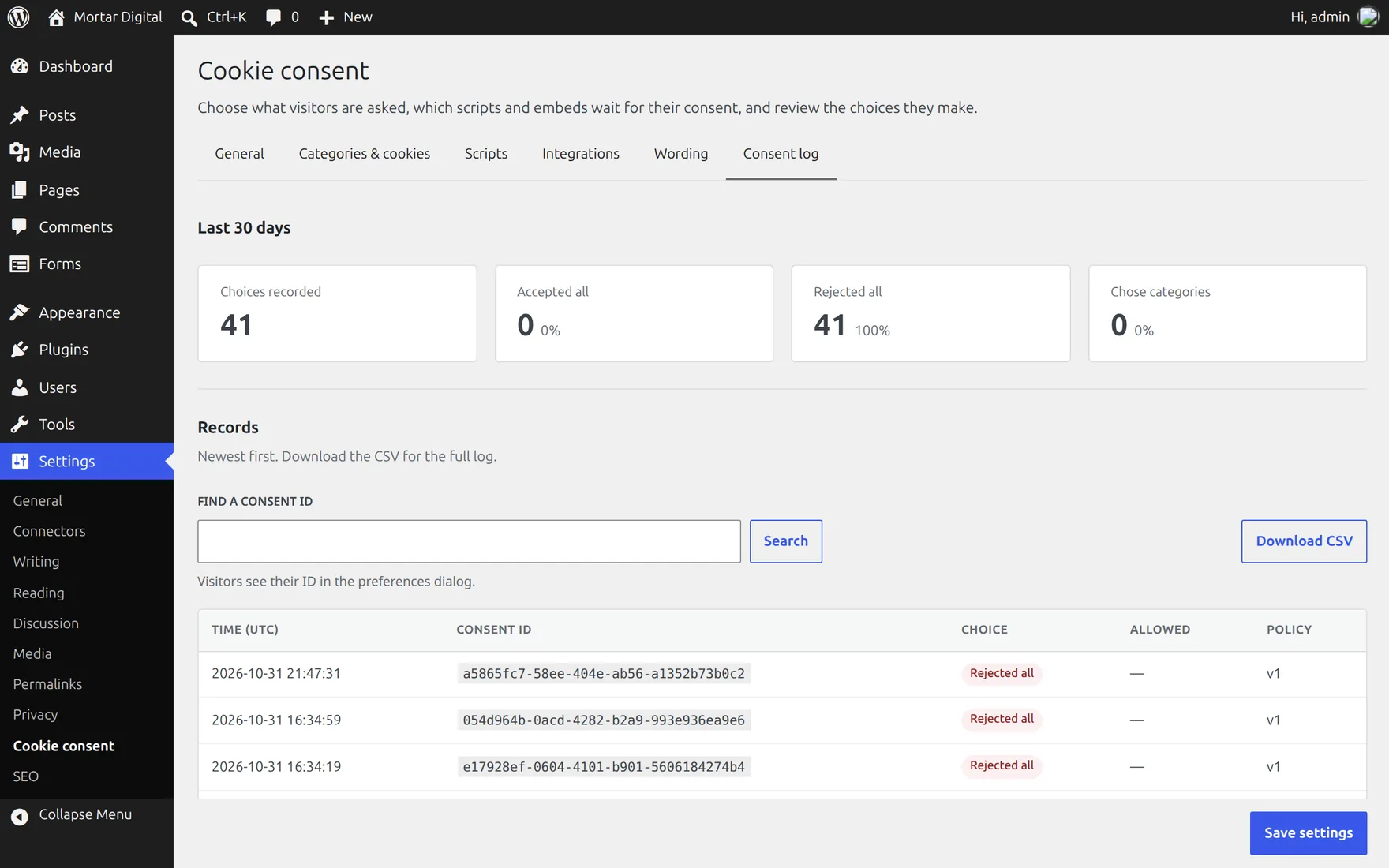
A record of every choice.
Each choice is kept with a random reference, the date and the version of your policy, but no names, addresses or browser details. Look a reference up, or download the lot as a spreadsheet. Old records clear themselves after three years.
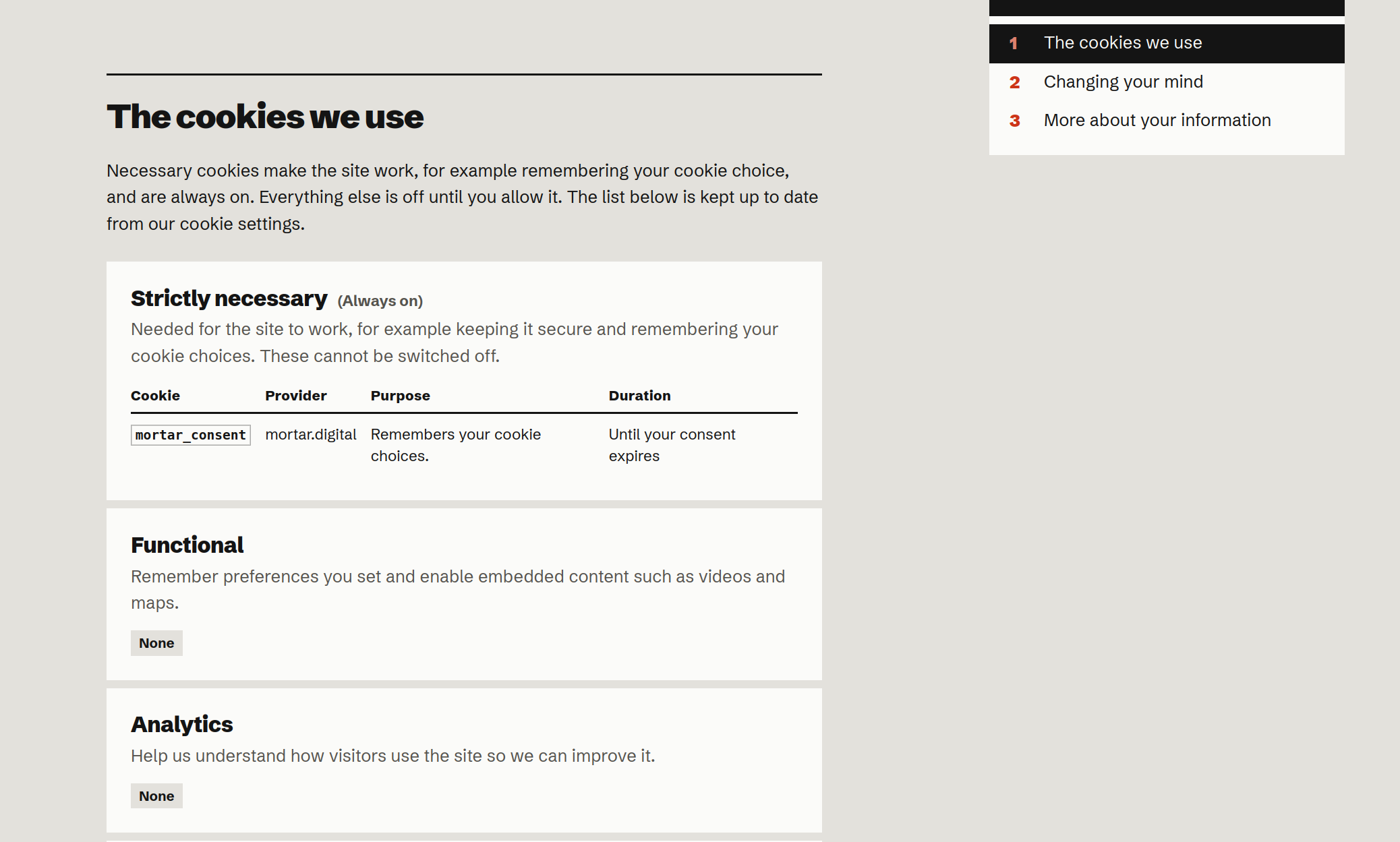
Your cookie policy, kept current.
Add the cookie list to your cookie policy page and it shows every cookie, who sets it, why and for how long, straight from your settings. Change a cookie once and the page follows.
Looks like your site.
It takes on your colours and type, as it does here, and works just as well on a phone, with a keyboard or with a screen reader.
Small and quiet.
Cookie banners are often the heaviest thing on a page. This one isn’t.
Under 5 KB
About the size of a small icon, so pages stay quick on a weak signal.
Nothing sent away
No outside service, no account and no reporting back to us.
Fast pages stay fast
Every visitor gets the same page, so it works with the caching that keeps sites quick.
Tested for access
Checked against the WCAG 2.2 AA accessibility standard.
What it won’t do.
- It doesn’t hunt for trackers on its own. You tell it which cookies and code your site uses.
- It isn’t legal advice. It gives visitors a fair choice and keeps a record; whether your site follows the rules depends on how it’s set up.
Rather we set it up?
It comes with every site we build and look after, with your cookies listed and your tracking held back. Tell us about your project and we’ll quote it.